
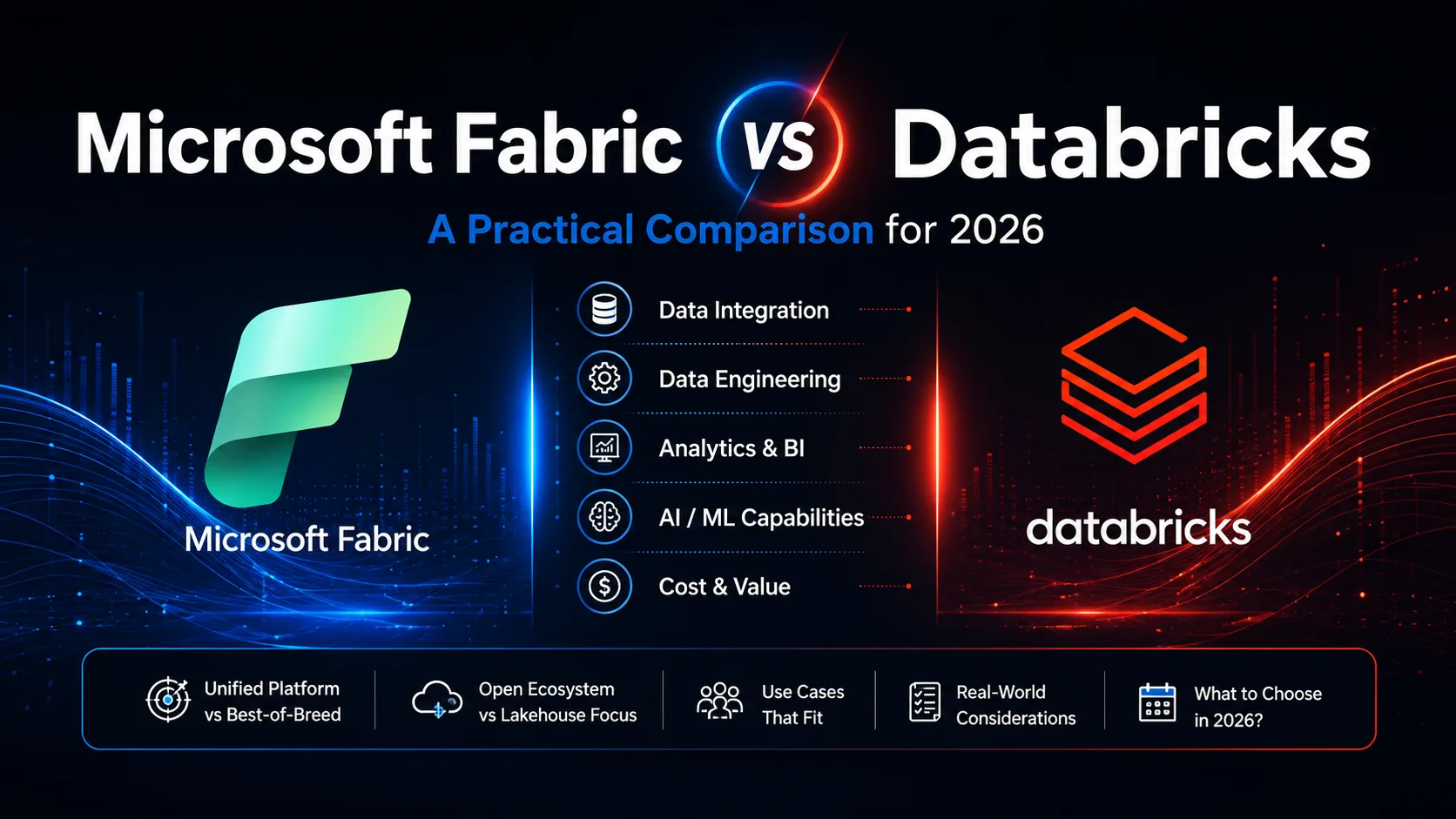
Microsoft Fabric and Databricks are now the two most credible enterprise data and AI platforms in the market. Very different bets on how organisations should own their data. Very different opinions on where the value in a modern data platform sits. If you are a CIO or a data leader trying to pick between them in 2026, the answer is not simple, but it is answerable. This is the honest side-by-side from a team shipping both in production, without the vendor spin. Where each wins, where each loses, what pricing actually looks like, and a decision framework you can put in front of your board.
Full disclosure: Deburise implements both. We are a Microsoft Fabric and Azure AI Foundry consulting company in Bangalore and we also run Databricks workloads for clients on AWS and multi-cloud. This article is not marketing for one over the other. It is what we would tell a friend running a mid-market enterprise who asked us in confidence which one to bet on.
Quick answer: which to pick
Key takeaway
Pick Databricks if: you have a mature data engineering and data science team that wants control over compute; your ML workloads are sophisticated enough that MLflow, model serving, and feature store depth matter; you operate multi-cloud or AWS-first; or you are already deeply invested in Databricks and the migration cost would not clear the bar.
The truth for most mid-market enterprises in 2026: if you are Microsoft-first, Fabric plus Azure AI Foundry is the cleaner architectural choice. If you are not, Databricks remains the safer bet.
What Microsoft Fabric actually is
Microsoft Fabric, launched in 2023 and generally available since late 2023, is Microsoft's unified analytics platform. It packages what used to be seven separate Microsoft products - Synapse Data Warehouse, Synapse Data Engineering, Synapse Data Science, Synapse Real-Time Analytics, Data Factory, Power BI, and OneLake - into a single SaaS product with one billing model, one governance layer, and one storage layer underneath.
The one architectural bet: OneLake
The core architectural decision is OneLake, a single logical storage layer built on Azure Data Lake Storage Gen2 that uses the Delta Lake open format. Every Fabric workload reads and writes to OneLake. Reports in Power BI query the same Delta tables that data engineers wrote and data scientists trained models on. There is one copy of the data, one lineage graph, one security model.
Who Fabric is aimed at
Fabric is aimed at enterprises that already run Microsoft 365, Azure, and Power BI, and that want to stop maintaining separate tools for data warehousing, data engineering, streaming, and BI. It is designed for organisations that value governance and consolidation over deep customisation. Mid-market enterprises, regulated industries, and traditional companies with heavy Microsoft dependencies are its natural buyers.
What Databricks actually is
Databricks, founded in 2013 by the creators of Apache Spark, is a data intelligence platform focused on the lakehouse architecture. The lakehouse combines the flexibility of a data lake with the reliability and performance of a data warehouse, all built on the Delta Lake open format that Databricks itself created and open-sourced.
The core architectural bet: lakehouse plus deep ML
Databricks bets on two things. First, that the lakehouse is the right architecture for enterprise data - one storage layer, one governance model, one place where data engineers, analysts, and data scientists all work. Second, that data science and machine learning need first-class treatment, not a bolt-on. MLflow, model serving, feature store, vector search, and Mosaic AI are all built in.
Who Databricks is aimed at
Databricks is aimed at technology-forward enterprises with mature data engineering and data science teams. It is built for organisations that want control over compute, appreciate a code-first developer experience, and have ML workloads sophisticated enough that a deep platform matters more than a unified UI. Multi-cloud enterprises, tech companies, financial services with quant teams, and any organisation whose data leader is a former data scientist tend to pick Databricks.
Both platforms use Delta Lake as their open table format. That single decision means the storage layer is portable. What differs is everything above it - the UI, the workloads, the licensing, and the opinion about who does the work.
Head-to-head comparison
| Feature | Microsoft Fabric | Databricks |
|---|---|---|
| Product model | Unified SaaS, single capacity SKU | Managed lakehouse, multiple products |
| Storage layer | OneLake (Delta on ADLS) | Delta Lake (on your cloud storage) |
| Warehousing | T-SQL warehouse built in | Databricks SQL Warehouse |
| Data engineering | Spark notebooks + Data Factory | Spark notebooks + Workflows |
| BI tool | Power BI native and included | Databricks SQL + BYO BI (Tableau, Power BI, etc.) |
| ML platform | Data Science workload + Azure ML integration | MLflow + Feature Store + Model Serving + Vector Search |
| GenAI integration | Azure AI Foundry, Copilot Studio | Mosaic AI, DBRX models, custom serving |
| Real-time / streaming | Real-Time Intelligence workload | Delta Live Tables + Structured Streaming |
| Governance | Purview + Fabric workspace security | Unity Catalog |
| Multi-cloud | Azure-only | AWS, Azure, GCP |
| Pricing model | Capacity-based SKU (F2 to F2048) | Consumption + DBU per compute type |
| Developer experience | SaaS UI, mixed code and low-code | Code-first, notebook-heavy |
| Buyer profile | Microsoft-first enterprises, mid-market | Tech-forward enterprises, data-science-heavy |
Where Fabric wins
Unified governance across every workload
This is Fabric's biggest single advantage. One workspace security model covers your warehouse, your lakehouse, your semantic model, your Power BI reports, and your Copilot Studio agents. In a Databricks-plus-Snowflake-plus-Power-BI world, you maintain three separate access matrices and pray they stay in sync. In Fabric you maintain one. For any regulated enterprise, this is the difference between a passing audit and a failing one.
Power BI is native, not a connector
Power BI on Fabric uses DirectLake mode - reports query Delta tables in OneLake without an intermediate import. That means reports are always fresh, memory is used efficiently, and the semantic model lives in the same platform as the data. On Databricks, Power BI is a first-class connector but still a separate product with a separate licence and a separate governance surface.
Predictable capacity-based pricing
Fabric's F-SKU pricing is one line item that covers every workload. You buy capacity and use it however you want. Databricks' pay-per-DBU model can produce surprising bills when a data scientist accidentally runs an all-purpose cluster overnight. Both models have their fans, but for finance teams that want a predictable annual budget, Fabric wins.
Faster time-to-first-report
For an organisation that already has data in Azure and Microsoft 365, Fabric can go from tenant setup to first published Power BI report in weeks. Databricks on Azure is faster than it used to be, but still requires more assembly - workspace, cluster policies, external BI tool integration, governance setup. Time-to-first-value favours Fabric for the typical enterprise.
The consolidation argument
Where Databricks wins
Deep ML and data science tooling
This is Databricks' biggest single advantage. MLflow for experiment tracking, Feature Store for reusable features, Model Serving for production endpoints, Vector Search for retrieval, Mosaic AI for custom LLM training. All native, all mature, all built by teams whose job is only ML infrastructure. Fabric's Data Science workload is competent for standard use cases but does not match Databricks' depth.
Multi-cloud by design
Databricks runs the same way on AWS, Azure, and GCP. For enterprises with a multi-cloud strategy, or those wanting the flexibility to move providers, this matters a lot. Fabric is Azure-only and shows no signs of changing. If you cannot commit to Azure long-term, Databricks is the safer architectural bet.
Code-forward developer experience
Databricks is a platform for engineers. Notebooks are the primary interface. Git integration is deep. Workflows are code. Data engineers who came up on Spark feel at home in Databricks in a way they do not always feel in Fabric's more SaaS-flavoured UI. For teams with strong data engineering culture, this matters.
Larger and steadier compute workloads
For very large data workloads that run consistently - think petabyte-scale batch processing, always-on streaming pipelines, heavy nightly ETL - Databricks with reserved compute is often cheaper than Fabric capacity for the same volume. The break-even point varies, but if your organisation's data engineering budget is dominated by a handful of very large jobs, run the maths carefully before assuming Fabric will save money.
The pricing reality, without vendor spin
Both platforms publish list prices. Both have material discounts available at scale. Both make the actual annual cost hard to estimate from the marketing pages. Here is the honest range from what we see across client engagements in 2026.
Two honest observations. First, both platforms give discounts of 20 to 40 percent at enterprise commit levels, so these numbers are directionally right but rarely what an actual client pays. Second, the stitched-stack line is why consolidation on one platform (either Fabric or Databricks) tends to save money. The most expensive option is not either platform. It is the pre-consolidation status quo of paying for four overlapping tools.
How to get an honest quote
Migration considerations
From Databricks to Fabric
Migrations from Databricks to Fabric take 8 to 16 weeks for a typical mid-market workload. The good news is the Delta Lake table format is shared, so raw data does not need to be rewritten - Fabric OneLake shortcuts can read Databricks-managed Delta tables in place. The work is in migrating Databricks Workflows to Fabric pipelines, rewriting MLflow-based ML services to Fabric or Azure ML equivalents, and republishing dashboards to Power BI DirectLake mode. We have seen these migrations pay back inside 12 to 18 months on licence savings alone for organisations that were paying for both platforms.
From Fabric to Databricks
Less common but happens - usually when an organisation acquires a Databricks-heavy business and rationalises on the acquirer's stack, or when a data leader change brings in Databricks preferences. Similar time and cost profile. The Power BI dependency is the biggest lift, either by keeping Power BI as the BI tool with a Databricks connector or by migrating to Tableau, Looker, or Databricks SQL.
From Snowflake to either
Snowflake-to-Fabric migrations are common in the mid-market where Snowflake plus Power BI was the pattern. Fabric consolidates the two. Snowflake-to-Databricks is rarer because the audiences overlap less. For either migration, budget 10 to 20 weeks depending on how much of the Snowflake ecosystem is in use.
A CIO-ready decision framework
We use these five questions with every client evaluating this decision. Answers stack; there is no single question that decides it.
| Feature | Question | If you lean toward this answer |
|---|---|---|
| 1. Is Microsoft 365, Azure, Power BI already the dominant stack? | Yes = Fabric | No = Databricks or open |
| 2. How sophisticated is your ML and data science work? | Standard use cases = Fabric OK | Heavy custom ML = Databricks |
| 3. Multi-cloud or single-cloud strategy? | Azure-only = Fabric | Multi-cloud = Databricks |
| 4. Consolidation vs best-of-breed preference? | Consolidation = Fabric | Best-of-breed = Databricks + others |
| 5. Budget preference: predictable or usage-based? | Predictable SKU = Fabric | Usage + reserved = Databricks |
If four or more of the five answers land on the Fabric side, pick Fabric. If four or more land on the Databricks side, pick Databricks. If the split is 3-2 either way, do a 90-day paid pilot on whichever leans your way and let the actual engineering experience decide.
The honest bottom line
For most mid-market enterprises in 2026 - the sweet spot of 500 to 5,000 employees, existing Microsoft dependency, moderate ML sophistication - Fabric plus Azure AI Foundry is the cleaner architectural choice. For tech-forward enterprises with mature data teams, heavy ML workloads, and multi-cloud realities, Databricks remains the deeper platform. Neither is wrong. Both are enterprise-credible. The wrong answer is delaying the decision because the two vendors keep telling you their side.
Frequently asked questions
Neither is universally better. Microsoft Fabric wins when the buyer is already deep in the Microsoft stack, wants unified governance across data engineering, warehousing, BI, and AI, and values one SaaS bill over managing multiple platforms. Databricks wins when the buyer needs the deepest possible ML and data science tooling, has a mature data engineering team that wants control over compute, or operates in a multi-cloud environment where Microsoft-first is not a natural fit.
Fabric is a unified SaaS platform that combines data engineering, warehousing, real-time analytics, data science, and Power BI in one product with a shared storage layer called OneLake. Databricks is a data intelligence platform focused on the lakehouse architecture, deeper ML tooling, and a more code-forward developer experience. Both use the Delta Lake open table format underneath, so data is portable between them.
Yes. Fabric OneLake supports shortcuts to Delta tables stored in external systems including Azure Data Lake Storage where Databricks writes its Delta tables. That means Fabric can read Databricks-managed data in place without copying it. In practice this is how many organisations bridge the two platforms while they decide what to consolidate.
For most mid-market enterprises, yes - Fabric's capacity-based SKU pricing tends to be more predictable and lower than the combined cost of Databricks plus Snowflake plus Power BI plus separate streaming tools. For very large data-science-heavy workloads with steady high compute, Databricks with reserved instances can be cheaper on a pure compute basis. The honest answer depends on your workload mix and current tooling.
It depends on three questions. First: is Microsoft 365, Azure, and Power BI already the dominant stack in your organisation? Second: are you paying for Databricks plus a separate warehouse plus Power BI, and could you consolidate? Third: is your data science and ML sophistication moderate rather than cutting-edge? If yes to all three, migrating to Fabric usually pays back inside 12 to 18 months. If you are Databricks-first with heavy custom ML in production, the migration cost may not clear the bar.
It replaces the warehouse-plus-BI combination that Snowflake often anchors, yes. Fabric includes a T-SQL warehouse workload that competes directly with Snowflake, plus Power BI, plus data engineering, plus real-time analytics in the same platform. Whether Fabric is the right replacement depends on the same factors as the Databricks question - your Microsoft footprint, your workload mix, and your appetite for consolidation.
Databricks has the more mature ML platform overall with MLflow, model serving, feature store, and vector search built in. Fabric integrates tightly with Azure AI Foundry for GenAI use cases, which for many enterprises is exactly what they want - AI grounded on Fabric semantic models, deployed via Foundry, governed through Azure. For pure ML depth, Databricks wins. For enterprise GenAI on your data with unified governance, Fabric plus Foundry is often the cleaner choice.
A production Fabric implementation for a mid-market enterprise typically takes 8 to 16 weeks including tenant setup, OneLake architecture, workspace design, initial pipeline migration, Power BI semantic models, and user training. A production Databricks implementation takes similar time - 10 to 18 weeks - depending on how much lakehouse architecture and MLflow tooling gets set up. Both benefit from a senior implementation partner rather than learning-on-the-job.
Keep reading
What Is Vibe Coding? A 2026 Playbook for AI-Native Product Development
Vibe coding is the term Andrej Karpathy gave to a way of building software that has quietly become the default. Describe what you need, an experienced engineering team uses AI to ship it, and the gap from idea to working product collapses from quarters to weeks. Here is what it actually means in practice, what it is not, and how to use it without producing fragile garbage.
14 min read →Agentic AIHow Agentic AI Is Changing Customer Support in 2026
Static chatbots resolve a single query. Agentic AI looks up your CRM, books the meeting, sends the calendar invite, and updates the deal. Here is what changed and how to deploy it.
9 min read →AutomationFive Business Processes Worth Automating This Quarter
Not every workflow is worth automating. These five pay back inside 90 days for almost every business, and we have shipped them dozens of times.
8 min read →